
If you’ve been putting off buying a standing desk because you assumed the good ones start at $600, it’s worth taking another look. The best standing desk under $300 today can genuinely compete with desks that cost twice as much, as long as you know which specs actually matter and which ones are just marketing. A few years ago, sub-$300 desks meant wobbly frames, noisy motors, and presets that stopped working after a few months. That’s changed. Several brands now build dual-motor electric desks in this exact price range that hold up to daily use, support real multi-monitor setups, and come with warranties worth trusting.
This guide breaks down the best standing desk under $300 options available right now in the US and Canada, what to actually check before buying one, and which desk fits which kind of home office. We’ll also flag a few things cheap desks tend to get wrong so you don’t end up replacing yours in six months.
Quick Recommendations
If you only have a minute, here’s the short version:
- Best Overall: FlexiSpot E5
- Best Budget: SHW 48-Inch Electric Standing Desk
- Best for Small Home Offices: FlexiSpot EN1
- Best for Dual Monitor Setups: VIVO Electric 55 x 24 Standing Desk
- Best for Back Pain and Posture Support: FEZIBO 55 x 24 Electric Standing Desk
Keep reading for the full breakdown of each one, including who it’s actually built for.
What to Look for in a Standing Desk Under $300
A lot of budget desks look similar on the surface, same basic shape, same beige product photos, same bullet points about “ergonomic design.” The differences that actually matter are underneath the desktop.
Single motor vs. dual motor. This is the single biggest factor in how a budget desk feels day to day. Dual motor desks have one motor in each leg, so the desk rises evenly and stays more stable when you’re leaning on it or adjusting a monitor arm. Single motor desks are usually $50 to $80 cheaper but tend to wobble more at full height, especially with a heavier desktop or multiple monitors. If you can stretch your budget toward the dual motor end of this price range, it’s worth it.
Height range. Check both the minimum and maximum height, not just the maximum. A desk that only goes down to 28 inches won’t sit low enough for shorter users, and one that only reaches 46 inches might not get tall enough if you’re over 6 feet. Match the range to your own height before you buy, not after. OSHA’s ergonomic guidance recommends keeping your monitor at or slightly below eye level and your wrists straight while typing, which is part of why height range matters so much.
Weight capacity. Budget desks typically list anywhere from 150 to 280 pounds. Add up your monitor weight, your monitor arm, your PC tower if it sits on the desk, and your accessories before assuming a desk’s capacity is “plenty.” Multi-monitor setups eat into that number faster than people expect.
Desktop material and surface. Spliced or “splice board” tops are common at this price point and are perfectly fine for most users. One-piece desktops tend to feel sturdier and won’t develop a seam over time, but they usually cost a bit more.
Stability at full height. This is hard to judge from a product photo, so lean on verified review patterns. A desk that wobbles when extended isn’t just annoying, it’s a real problem if you’re using it with a second monitor or while standing and typing.
Noise level and memory presets. Most desks in this range include 3 or 4 programmable height presets, which is genuinely useful if you switch between sitting and standing throughout the day. Noise levels under 50 decibels are standard for decent motors; anything louder gets old fast in a shared space.
Warranty. A 3 to 5 year warranty on the frame is a reasonable expectation in this price bracket. Anything shorter is a sign the manufacturer doesn’t fully trust their own motor.
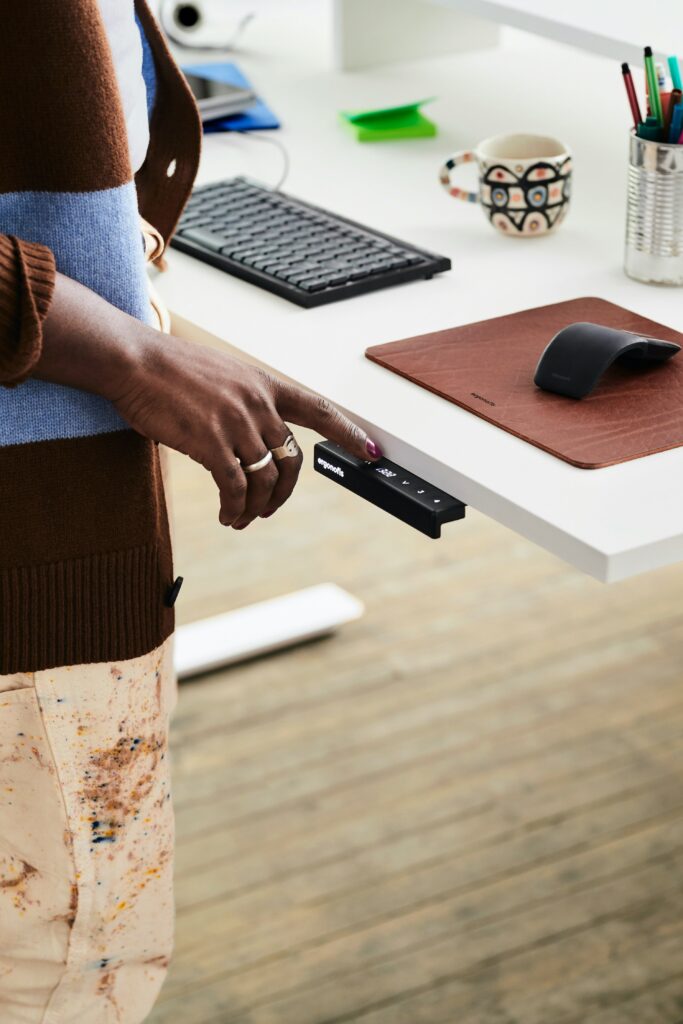
FlexiSpot E5 — Best Overall
The FlexiSpot E5 is the desk most people in this price range end up happiest with, mainly because it doesn’t force you to compromise on the specs that matter most. It runs a dual motor lift system, has one of the wider height ranges available under $300, and uses a steel frame that stays planted even at full extension.
Key features:
- Dual motor lift mechanism for even, stable height adjustment
- Height range of roughly 23.6 inches to 49.2 inches, suitable for a wide range of user heights
- Weight capacity around 220 pounds
- Four programmable memory height presets
- Built-in cable management tray
- Noise level under 50 decibels during adjustment
Pros:
- Dual motor stability at a price point usually reserved for single motor desks
- Wide height range works for both shorter and taller users
- Steel frame feels noticeably sturdier than entry-level competitors
- Solid warranty coverage on the frame and motor
Cons:
- Desktop is sold separately from the frame in some bundles, so double check what’s included
- Assembly takes a bit longer than simpler one-piece desktop models
Who it’s best for: Anyone who wants the closest experience to a premium standing desk without paying premium prices. If you sit and stand throughout the day and want a desk that won’t wobble when you lean on it, this is the one to start with.

- QUIET DUAL MOTORS with 65% MORE LOADING CAPACITY: Lift and lower the sit stand desk with confidence even in the quietest…
- 3 STAGES LIFT SYSTEM: Compare with 2 stages lift system, 3 stages standing desk has a 30% wider range of lifting space, …
- ONE-TOUCH LED CONTROL PANEL: Program your favorite standup desk heights right from the convenient control panel, which l…
SHW 48-Inch Electric Standing Desk — Best Budget
If your budget is genuinely tight and you don’t need a dual monitor setup or heavy-duty capacity, the SHW 48-Inch desk gets the basics right without extra cost. It’s a single motor desk, so it won’t feel quite as stable at full height as the dual motor options on this list, but for a laptop-and-single-monitor setup it does the job reliably.
Key features:
- Single motor electric lift
- Height range of approximately 28 inches to 45.6 inches
- Built-in cable management and a small storage drawer
- Four memory presets on an LED digital controller
- 48 x 23.6 inch desktop
Pros:
- One of the more affordable genuinely electric (not crank) desks available
- Included drawer adds storage that competitors usually charge extra for
- Simple, no-frills setup that’s easy to assemble solo
Cons:
- Single motor means more flex and wobble at full standing height under heavier loads
- Height range may feel limiting for users over 6’1″ who like standing fully upright
- Weight capacity is lower than the dual motor options on this list
Who it’s best for: Students, light laptop users, or anyone setting up a budget home office who mainly wants the option to stand for part of the day without spending close to the full $300.
FlexiSpot EN1 — Best for Small Home Offices
The EN1 is built around a smaller, one-piece 48 x 24 inch desktop, which makes it a strong fit for apartments, bedrooms converted into offices, or any room where floor space is limited. The compact footprint doesn’t mean it cuts corners on the lift mechanism.
Key features:
- One-piece seamless desktop in a 48 x 24 inch footprint
- Electric height adjustment with multiple memory presets
- Roughly 176 pound weight capacity
- 1-inch thick desktop that resists bending under regular use
- Tested through 20,000 raise and lower cycles by the manufacturer
Pros:
- Smaller footprint fits tight spaces without sacrificing electric adjustability
- One-piece desktop avoids the seam and gap issues that splice boards sometimes have
- Straightforward assembly process
Cons:
- Smaller desktop limits how much gear you can comfortably fit
- Not ideal if you’re running two full-size monitors side by side
Who it’s best for: People working with a smaller room or a single-monitor setup who want a stable, well-built desk without dedicating a large footprint to it.

- ONE-PIECE. NO SEAMS: A seamless desktop creates a smooth, uninterrupted workspace with no split lines to distract, makin…
- SPACIOUS WORKSPACE FOR PRODUCTIVITY: Room for laptops, monitors, and accessories, giving writers, coders, or content cre…
- HEAVY-DUTY STABILITY & STRENGTH: Supports up to 176 lbs, giving office workers, architects, and gamers a steady, secure …
VIVO Electric 55 x 24 Standing Desk — Best for Dual Monitor Setups
If your work setup includes two monitors, or a monitor plus a laptop dock and accessories, the extra desktop real estate on this VIVO model makes a real difference. At 55 inches wide, it gives you noticeably more room than the standard 48-inch options without pushing you into a more expensive L-shaped desk.
Key features:
- 55 x 24 inch desktop, wider than most desks in this price range
- Electric height adjustment with memory presets
- Telescoping legs with easy-leveling feet for stability
- Steel frame construction
- Weight capacity around 154 pounds
Pros:
- Extra desktop width comfortably fits dual monitors plus accessories
- Leveling feet help with stability on uneven flooring
- Clean, simple aesthetic that works in most home office setups
Cons:
- Weight capacity is lower than some competitors, so heavy dual-monitor arms plus a PC tower could push close to the limit
- Larger footprint needs more floor space than compact options
Who it’s best for: Remote workers and hybrid employees running a true dual monitor setup who need the desk surface to match their gear without upgrading to a corner desk.

- Sit-Stand Workstation: Switch from sitting to standing throughout the day at the press of a button, and increase concent…
- Spacious 55″ Surface: This 55.1” x 23.6” table provides plenty of room for a variety of monitor and laptop setups along …
- Powerful Electric Motor: Enjoy a height range of 28.3” to 46.4” with this desk’s powerful motor and strong legs using pr…
FEZIBO 55 x 24 Electric Standing Desk — Best for Back Pain and Posture Support
Standing desks help with back discomfort mainly when the height range actually matches your body, both sitting and standing. The FEZIBO 55 x 24 has one of the more generous height ranges in this price bracket, which makes it easier to find a sitting height that keeps your spine aligned and a standing height that doesn’t force you to hunch toward your monitor.
Key features:
- Height range of approximately 27.3 inches to 45.5 inches, with caster options extending it further
- Anti-collision sensor that stops the desk if it hits an obstacle while adjusting
- 176 pound weight capacity
- Splice board desktop with multiple finish options
- Three programmable memory presets
Pros:
- Wider height range supports proper sitting and standing posture for a broader range of body types
- Anti-collision technology adds a layer of safety during adjustments
- Generous desktop size for the price
Cons:
- Splice board top shows a seam line, which some users prefer to avoid
- Assembly instructions are functional but not as polished as premium brands
Who it’s best for: Anyone whose main reason for buying a standing desk is reducing back or neck strain from sitting too long. The flexible height range makes it easier to actually use proper ergonomic positioning instead of just switching to standing as a different kind of bad posture.

- Electric Height Adjustable Lifting System: FEZIBO standing desk has reliable motor that could support height adjustment …
- Exclusively Designed : This stand up desk is designed to promote a healthier lifestyle, the adjustable height supports s…
- Larger desktop design: The 55″ x 24″ standing desk provides ample space for dual monitors, printers, and other office es…
How These Standing Desks Compare
Comfort and stability: The FlexiSpot E5 leads here thanks to its dual motor system, with the FEZIBO close behind for its wide height range. The SHW, as a single motor desk, is the least stable of the group at full height, though still reasonable for light use.
Desktop space: The VIVO and FEZIBO both offer 55-inch desktops, giving the most room for dual monitors or extra accessories. The FlexiSpot EN1 has the smallest footprint, which is a feature rather than a flaw if space is tight.
Features: The FlexiSpot E5 and FEZIBO both include extras like cable management or anti-collision sensors that the more budget-focused SHW skips in favor of a lower price.
Value for money: The SHW wins on pure affordability, but the FlexiSpot E5 offers the best overall value once you weigh stability and features against the price difference, since you’re getting dual motor performance well under the $300 mark.
Which One Should You Choose?
If back pain is your main concern, prioritize height range over almost everything else. The FEZIBO’s wider adjustment range makes it easier to set up both your sitting and standing positions correctly, which matters more for pain relief than the desk’s price tag. A randomized trial published by the National Library of Medicine found that introducing a sit-stand workstation was linked to measurable improvement in chronic lower back pain.
If you sit for long hours and switch positions frequently, the FlexiSpot E5’s dual motor system will hold up better to repeated daily adjustments than a single motor desk.
If your setup is more gaming or entertainment focused than traditional office work, the extra desktop space on the VIVO or FEZIBO gives you more room for peripherals, a wider monitor, or a controller and headset without things feeling cramped.
If your budget is the deciding factor, the SHW gets you into an electric standing desk without crossing into compromise territory on basic reliability, as long as your setup is relatively light.
If you’re working with limited floor space, the FlexiSpot EN1’s compact 48 x 24 inch footprint is the easiest of the five to fit into a small room without it dominating the space.
Frequently Asked Questions
Is it worth buying a standing desk under $300, or should I save up for a more expensive one? For most home users, yes. The quality gap between budget and premium desks has narrowed significantly. Dual motor desks under $300 now offer stability and warranty coverage that used to require spending $500 or more, making them a reasonable choice unless you need very high weight capacity or premium materials.
What’s the difference between a single motor and dual motor standing desk? A dual motor desk has one motor per leg, lifting both sides evenly and reducing wobble at full height. A single motor desk uses one motor with a connecting rod, which is cheaper but tends to flex more under load, especially with heavier monitors or when fully extended.
How much weight can a standing desk under $300 hold? Most budget electric standing desks support between 150 and 280 pounds, depending on the model. This needs to cover your monitor, monitor arm, keyboard, and anything else resting on the desktop, so it’s worth adding up your actual setup weight before assuming a desk’s capacity is sufficient.
Can I assemble a standing desk by myself? Yes, most standing desks are designed for one-person assembly and include the tools and instructions needed. Expect anywhere from 30 minutes to over an hour depending on the model, with one-piece desktop designs generally being faster to put together than spliced or multi-drawer versions.
Do cheaper standing desks wobble more than expensive ones? Generally yes, particularly single motor models at full height. Dual motor desks, even at the lower end of the price range, tend to be noticeably more stable. If desk wobble is a dealbreaker for you, prioritize dual motor modelover saving an extra $30 to $50.
What height range should I look for in a standing desk? Your ideal range depends on your height, but most users need a minimum height around 24 to 28 inches for proper sitting posture and a maximum around 45 to 50 inches for standing. Taller users should specifically check the maximum height before buying, since some budget desks top out lower than expected.
Final Thoughts
The idea that a good standing desk has to cost $500 or more doesn’t really hold up anymore. The five desks covered here, the FlexiSpot E5, SHW 48-Inch, FlexiSpot EN1, VIVO 55 x 24, and FEZIBO 55 x 24, all stay under the $300 mark while covering different priorities, from raw stability to desktop space to posture support.
If you want the safest all-around pick, the FlexiSpot E5 is hard to beat for the price. If your budget is tighter, the SHW gets you into an electric desk without major compromises. And if back pain is what’s driving your search, lean toward the desk with the widest height range you can find, since that matters more for relief than any other single spec.
Whichever one you choose, remember that prices and availability can shift depending on your region and the current Amazon marketplace, so it’s worth double-checking current pricing before you buy.
Note: Pricing for standing desks varies by region, retailer, and ongoing promotions. Always verify current prices and availability directly on Amazon before purchasing, and confirm shipping options for your location in the US, Canada, or Europe. Affiliate links may apply.